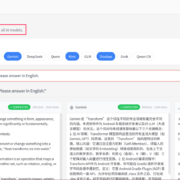

Scrapling đang nổi lên như một trong những framework web scraping mã nguồn mở mạnh mẽ nhất hiện nay, đặc biệt với khả năng thích ứng (adaptive scraping) giúp tự động tìm lại các phần tử khi website thay đổi cấu trúc HTML. Từ request đơn lẻ đến crawl quy mô lớn, Scrapling xử lý mượt mà nhờ engine parsing hiệu năng cao, nhiều loại fetcher (HTTP, stealth, dynamic), và đặc biệt là MCP server tích hợp sẵn để kết nối với AI agent như OpenClaw.
Bài viết này hướng dẫn chi tiết từ A-Z: cài đặt self-hosted (native + Docker), sử dụng thực chiến, tích hợp MCP với OpenClaw, và so sánh với các đối thủ Crawl4AI / AnyCrawl. Nếu bạn là developer Python muốn kiểm soát hoàn toàn dữ liệu scraping mà không phụ thuộc SaaS, đây chính là hướng dẫn dành cho bạn.
Scrapling là gì và tại sao nên self-host?
Scrapling là framework Python mã nguồn mở, xử lý từ một request đơn lẻ đến crawl hàng nghìn trang với các tính năng nổi bật:
- Adaptive scraping: Tự động “nhớ” và tìm lại element khi DOM thay đổi (fuzzy matching theo độ sâu cây, tag cha/con, text similarity).
- Multi-fetcher: HTTPFetcher (nhanh), StealthyFetcher (bypass Cloudflare), DynamicFetcher (Playwright/Chrome cho JS rendering).
- API quen thuộc: CSS selector +
::text/::attr()giống Scrapy/Parsec, dễ học nếu bạn từng dùng BeautifulSoup. - CLI mạnh mẽ:
scrapling shell(IPython interactive),scrapling extract(export Markdown/JSON nhanh). - MCP server: Kết nối native với AI agent (OpenClaw, Claude Desktop) qua Model Context Protocol.
Self-host thay vì SaaS giúp bạn:
- Giữ 100% quyền kiểm soát dữ liệu (không gửi HTML lên cloud).
- Tối ưu chi phí (chỉ trả server/proxy).
- Tùy chỉnh, mở rộng, đóng góp mã nguồn dễ dàng.
Cài đặt self-hosted truyền thống
Yêu cầu hệ thống
- Python 3.10+
- Linux/macOS/Windows đều OK
- RAM 2GB+ nếu dùng DynamicFetcher (browser)
Virtual Environment + pip install
python -m venv scrapling-env
source scrapling-env/bin/activate  # Linux/macOS
pip install "scrapling[all]"
scrapling install  # Cài Playwright, Camoufox, fingerprint
Test nhanh:
scrapling shell  # Mở interactive shell
scrapling extract get "https://quotes.toscrape.com" quotes.md
Self-hosted bằng Docker (Production-Ready)
Docker image chính thức pyd4vinci/scrapling đã kèm đầy đủ Python + browser dependencies.
Chạy nhanh CLI/testing
docker run -it --rm pyd4vinci/scrapling scrapling shellDockerfile tùy chỉnh (cho project riêng)
FROM pyd4vinci/scrapling:latest
WORKDIR /app
COPY . /app
RUN pip install "scrapling[ai,all]" && scrapling install
EXPOSE 8002
CMD ["scrapling", "mcp-server", "--host", "0.0.0.0", "--port", "8002"]
docker-compose.yml (Full Stack)
services:
  scrapling-mcp:
    build: .
    container_name: scrapling-mcp
    restart: unless-stopped
    ports: ["8002:8002"]
    volumes:
      - ./data:/app/data
      - ./config:/app/config
    environment:
      - SCRAPLING_LOG_LEVEL=INFO
    healthcheck:
      test: ["CMD", "curl", "-f", "http://localhost:8002/health"]
      interval: 30s
      timeout: 10s
      retries: 3
Deploy 1 lệnh:
docker compose up -d --build
curl http://localhost:8002/health  # Kiểm tra MCP server
Script cài đặt tự động (macOS / Raspberry Pi / VPS)
Nếu bạn không muốn tự viết Dockerfile và docker-compose từ đầu, mình đã đóng gói sẵn một bộ script cài đặt tự động hỗ trợ cả 3 nền tảng phổ biến:
| Nền tảng | Kiến trúc | Trạng thái |
|---|---|---|
| macOS Apple Silicon / Intel | arm64 / amd64 | ✅ |
| Raspberry Pi 4/5 | arm64 | ✅ |
| Linux VPS (Ubuntu, Debian, …) | amd64 / arm64 | ✅ |
Cài đặt chỉ với 3 lệnh
mkdir -p ~/self-hosted && cd ~/self-hosted
git clone https://github.com/duynghien/auto.git && cd auto/scrapling
chmod +x setup.sh && ./setup.sh
Script sẽ tự động:
- Nhận diện OS (macOS / Raspberry Pi / VPS) và kiến trúc CPU
- Cài Docker nếu chưa có (Linux only — macOS cần OrbStack hoặc Docker Desktop)
- Tự cấp thêm 2GB swap nếu Raspberry Pi có RAM < 4GB (cần thiết để build Chromium)
- Build Docker image
scrapling:latestvới đầy đủ dependencies (Playwright Chromium, curl_cffi, MCP) - Chạy smoke test tự động để xác nhận scraping hoạt động
Lưu ý: Build lần đầu mất 5-15 phút do tải Playwright Chromium (~106MB). Các lần sau dùng Docker cache, chỉ mất vài giây.
Sử dụng sau khi cài
Scrapling chạy theo mô hình ephemeral container (dùng xong tự xóa) – không chiếm tài nguyên khi không dùng, sẽ không hiện lâu dài trong OrbStack. Đây là thiết kế đúng cho CLI tool.
# HTTP GET → lưu HTML (nhanh, có stealth headers)
docker run --rm -v "$(pwd)/data:/data" scrapling:latest \
  extract get https://example.com /data/output.html

# HTTP GET → lưu Markdown (tiện cho RAG / AI pipeline)
docker run --rm -v "$(pwd)/data:/data" scrapling:latest \
  extract get https://example.com /data/output.md

# Playwright — trang dùng JavaScript nặng
docker run --rm -v "$(pwd)/data:/data" scrapling:latest \
  extract fetch https://example.com /data/output.html

# Stealthy — bypass bot detection mạnh nhất
docker run --rm -v "$(pwd)/data:/data" scrapling:latest \
  extract stealthy-fetch https://example.com /data/output.html

# CSS Selector — chỉ lấy element cụ thể
docker run --rm -v "$(pwd)/data:/data" scrapling:latest \
  extract get https://example.com /data/output.html -s "h1, .price"
Đầu ra lưu vào thư mục data/ trong cùng folder script, dễ dàng xử lý tiếp bằng Python hoặc đưa vào pipeline AI.
Khởi động MCP Server (cho AI Agent)
Để kết nối với Claude Desktop, LobeHub, n8n hoặc OpenClaw:
# Khởi động MCP server (chạy nền, port 8000)
docker compose --profile mcp up -d
Thêm vào config Claude Desktop (~/Library/Application Support/Claude/claude_desktop_config.json):
{
  "mcpServers": {
    "scrapling": {
      "url": "http://localhost:8000/mcp"
    }
  }
}
Toàn bộ source code và tài liệu đầy đủ tại: github.com/duynghien/auto/tree/main/scrapling
Hướng dẫn sử dụng thực chiến
1. Request đơn lẻ (Static HTML)
from scrapling.fetchers import Fetcher

page = Fetcher.get("https://quotes.toscrape.com", impersonate="chrome")
quotes = [{"text": el.css_first(".text::text"),
           "author": el.css_first(".author::text")}
          for el in page.css(".quote")]
print(quotes[0])
2. Dynamic scraping (JavaScript rendering)
from scrapling.fetchers import DynamicFetcher

page = DynamicFetcher.fetch(
    "https://ai.vnrom.net",
    wait_selector=".dynamic-content",
    headless=True
)
items = page.css(".item")  # Chờ JS render xong mới parse
3. Adaptive scraping (Core feature)
StealthyFetcher.adaptive = True  # Global adaptive mode

# Lần 1: Học và lưu pattern
page1 = StealthyFetcher.fetch("https://shop.vnrom.net")
products = page1.css(".product", auto_save=True)

# Lần 2: Website đổi HTML → tự tìm lại
page2 = StealthyFetcher.fetch("https://shop.vnrom.net")
products = page2.css(".product", adaptive=True)  # Tự match!
4. Crawl lớn (Async + Pagination)
import asyncio
from scrapling.fetchers import AsyncFetcher

async def crawl_page(page_num):
    url = f"https://books.toscrape.com/catalogue/page-{page_num}.html"
    page = await AsyncFetcher.get(url)
    return [{"title": b.css_first("h3 a::attr(title)"),
             "price": b.css_first(".price_color::text")}
            for b in page.css(".product_pod")]

async def main():
    all_books = []
    for i in range(1, 51):  # 50 pages
        books = await crawl_page(i)
        all_books.extend(books)
        print(f"Page {i}: {len(books)} books")
    return all_books

books = asyncio.run(main())
Tích hợp MCP Server với OpenClaw
Scrapling MCP server biến framework thành “tool” cho AI agent, cho phép gọi crawl(url, selector="h1") thay vì parse full HTML.
Chạy MCP server
docker compose up -d # Port 8002 expose sẵnConfig OpenClaw (~/.openclaw/config.json)
{
  "mcpServers": {
    "scrapling": {
      "url": "http://host.docker.internal:8002",
      "enabled": true,
      "timeout": 30000
    }
  }
}
Prompt mẫu trong OpenClaw:
"Dùng Scrapling MCP crawl top 5 bài Hacker News, extract title + link, format JSON"Tools tự động available:
scrapling_fetch(url)→ HTML/Markdownscrapling_stealthy(url)→ Bypass anti-botscrapling_screenshot(url)→ Visual verification
Use Cases Scrapling + OpenClaw
- Daily Tech News Digest: Crawl HN/TechCrunch → OpenClaw tóm tắt tiếng Việt → Push Discord/Notion.
- E-commerce Price Tracking: Adaptive scrape Shopee/Lazada → Alert deal tốt.
- RAG Knowledge Base: Crawl docs → Clean + chunk → Embed vào agent memory.
- Competitor Research: Multi-site crawl → OpenClaw so sánh feature/pricing.
So sánh Scrapling vs Crawl4AI vs AnyCrawl
Dưới đây là bảng so sánh dựa trên sử dụng thông thường (script Python) và cho AI/Agent (qua MCP hoặc API). Dữ liệu từ benchmark, docs và review 2025-2026.
Scrapling không chỉ là web scraper – nó là infrastructure cho AI agent có khả năng “nhìn” web real-time một cách thông minh, tiết kiệm token, và production-ready.
Bắt đầu ngay:
- Clone Docker stack mẫu ở trên
docker compose up -d- Test MCP:
curl -X POST http://localhost:8002/scrape -d '{"url": "https://ai.vnrom.net"}' - Kết nối OpenClaw và prompt “crawl + analyze”
Hãy thử Scrapling cho project tiếp theo của bạn và share kinh nghiệm trong comment! Bạn đã từng gặp khó với selector gãy hay anti-bot nào chưa?